Content
Designing Trust in AI Recommendations
Using AI to accelerate research, prototyping, and ideation during a 3-hour winning design challenge.
Design Team
Sarah Garrison, UX Researcher
John Murphy, Principal UX Designer

As part of an internal AI Design Challenge, our team was tasked with designing an experience that helps banking teammates understand, trust, and act on AI-generated financial recommendations.
The prompt centered on a fictional teammate, Nora, who receives several AI-generated recommendations for a client based on banking data. The challenge: build confidence around those recommendations.
If a teammate couldn't answer:
Why was this recommendation generated?
What evidence supports it?
Can I trust this?
What should I say to the client?
then the recommendation had little value regardless of its accuracy.
How might we help teammates trust AI-generated recommendations enough to confidently discuss them with clients?
One of my goals during this challenge was to use AI as an accelerator without outsourcing design judgment — treating it as a thinking partner and sketching tool, not a replacement for deciding what was right.
Copilot as a Strategic Thinking Partner
Immediately after receiving the brief, I used Copilot to accelerate exploration rather than brainstorming from a blank page. I used it to:
Explore existing AI transparency patterns
Investigate trust-building approaches in other products
Generate alternative interaction models
Evaluate different ways of surfacing supporting evidence
This cut down the time spent on early concept generation and gave the team more time to discuss tradeoffs and make informed decisions together.
Figma Make for Rapid Prototyping
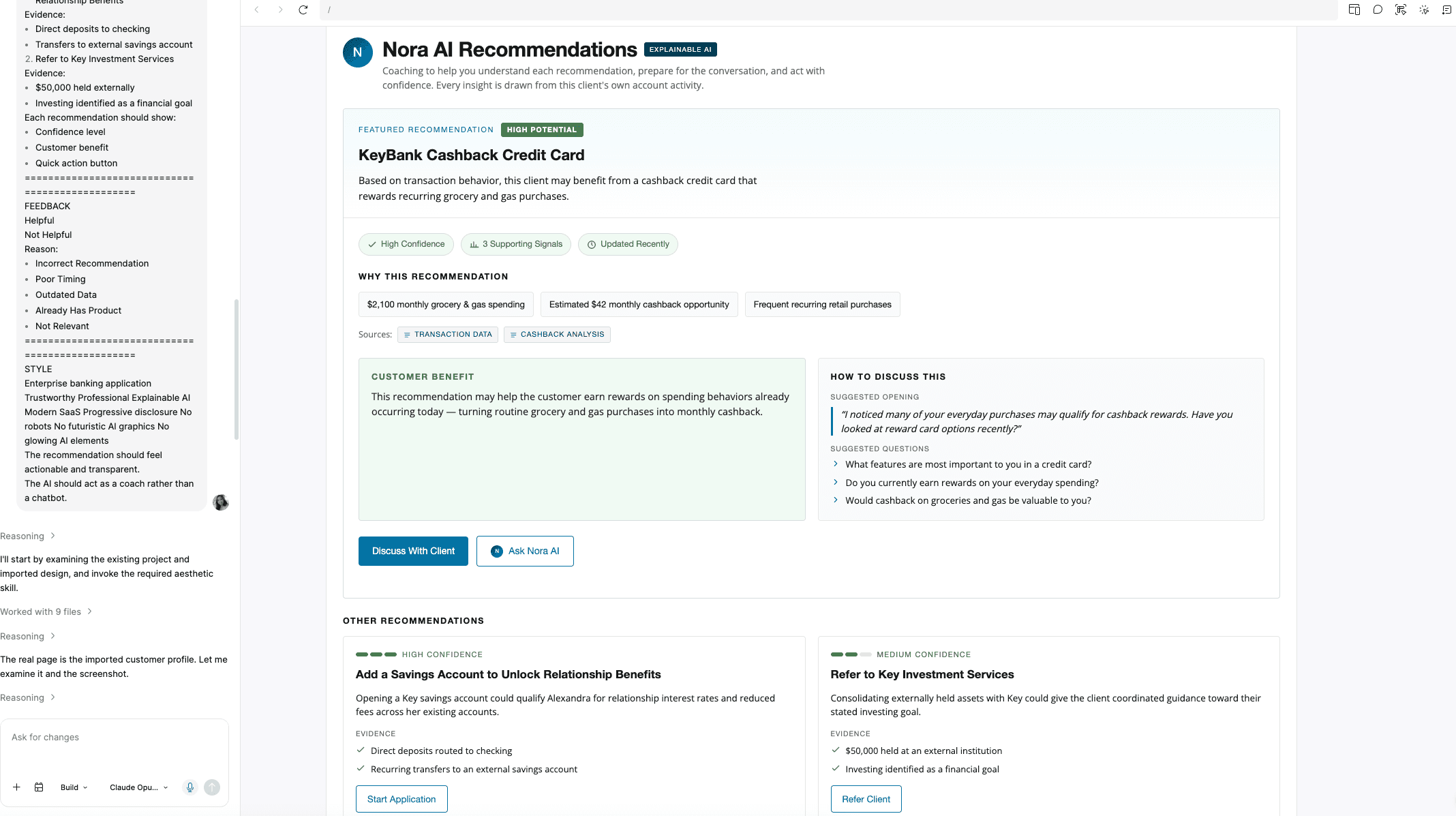
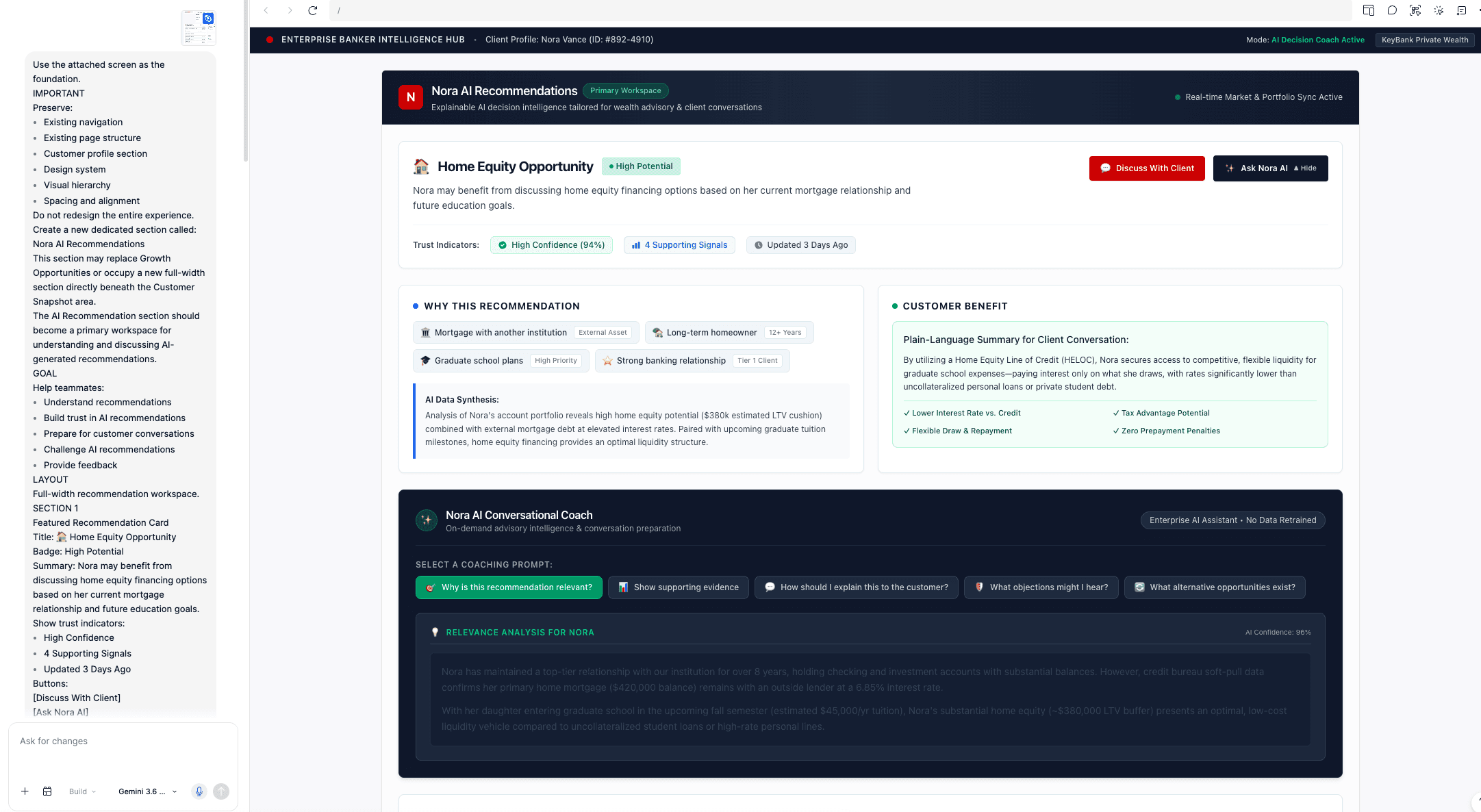
As concepts emerged, I used Figma Make to quickly visualize interaction patterns — but I rarely used its outputs as-is. I treated it as a sketching tool: generating multiple concepts, pulling elements I liked from different versions, combining and remixing patterns, and stripping out complexity that didn't serve the experience.
As the design matured, manually designing in Figma became more effective than continuing to iterate through prompts. The final solution was assembled by hand, informed by what the AI-generated explorations had surfaced.

01 Comfort Discussing Financial Products
73.8% of participants reported being familiar with discussing financial products or recommendations with clients.
02 Comfort Discussing AI Recommendations
76.3% reported feeling somewhat or very confident discussing an AI-generated recommendation with a client.
Biggest Concerns
Participants identified several trust barriers:
The recommendation may not fit the client's needs
There is insufficient context behind the recommendation
The recommendation could be incorrect
Most Important Information that Builds Trust
When evaluating recommendations, participants reported that confindence increased when they are able to see:
The recommendation itself
Why the recommendation was generated
The client benefit
Supporting customer data
(N=78, customer-facing professionals across industries, surveyed via UserTesting. We prioritized sample size over banking-specific participants given the 3-hour timeline.)
Turning AI recommendations into confident customer conversations
01 — Explain the “why”
Recommendations surface the customer signals, supporting evidence, and AI confidence behind each opportunity.

02 — Turn insight into action
Ask AI Coach helps teammates prepare for the conversation with suggested opening statements, discovery questions, and guidance for handling objections.
03 — Create a feedback loop
Teammates can provide feedback on whether a recommendation was helpful, helping improve future recommendations.

This challenge reinforced something I keep coming back to: AI is most effective when it accelerates design thinking, not when it replaces it.
The final experience came out of an iterative cycle of research, experimentation, synthesis, and refinement. AI helped us move faster and explore more possibilities in less time — but human judgment, knowing what to prioritize, question, and refine, is what actually shaped the outcome. The parts of this project I'm most proud of are the moments I stepped away from the prompt box and designed by hand.
This concept won the internal AI Design Challenge, judged by our Design Director, Head of Consumer Banking, and Design Principal. The problem itself was a real, unsolved internal need — the team is now using this concept as a direction for what to actually build.